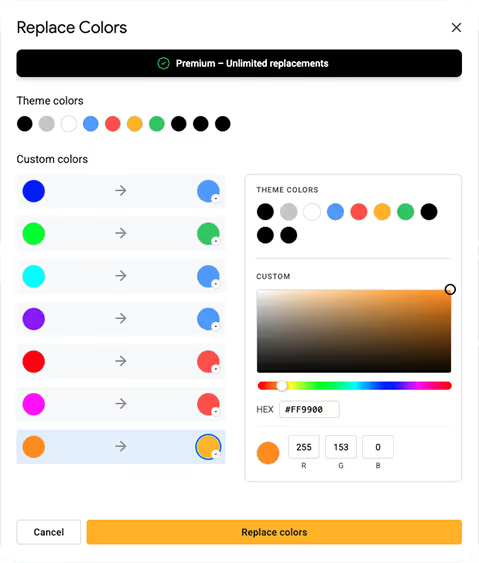
Replace colors
Slide Replacer is free to install and try. A paid plan unlocks unlimited replacements for teams and heavy users.
Yes. Slide Replacer works directly inside Google Slides as an add-on — no export, no third-party software. Just open your presentation, launch the add-on, and you're good to go.
Exactly. That's the whole point. Select the color you want to replace, pick the new one, and Slide Replacer updates every instance across your entire deck in seconds — shapes, text, backgrounds, borders included.
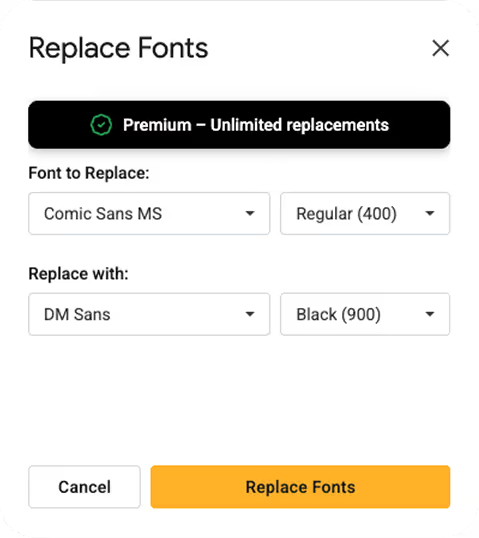
Yes, and that's where it gets satisfying. Pick the font you want to get rid of, choose its replacement, and Slide Replacer sweeps through your entire deck in seconds — titles, body text, captions, all of it.
Slide Replacer only reads and modifies the presentation you're currently working on. We don't store, share, or transmit your data.
Yes. You can input any hex code for colors, and Slide Replacer supports all fonts available in Google Slides, including custom fonts loaded into your account.